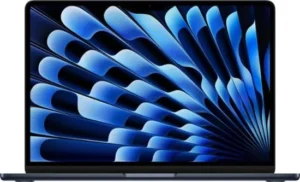
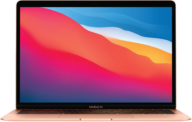
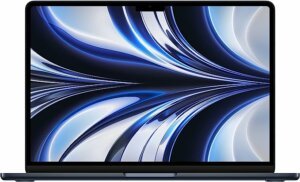
You’ve got a slim, reliable MacBook Air… but you’ve moved on. Maybe you upgraded to a newer M-series model, your battery is fading, or the screen took a hit.
If you’re wondering “where can I sell my MacBook Air?” or “how do I sell my MacBook Air for cash without the hassle?”, you’re in the right place.
At iGadgets Buy, you can sell MacBook Air for cash from anywhere in the United States, no marketplace drama, no lowball offers, no guessing what it’s worth.
Get My MacBook Air Cash Quote
Why iGadgets Buy Is a Smarter Way to Sell MacBook Air for Cash
There are a lot of ways to sell MacBook Air: Apple Trade In, buyback sites, local shops, and peer-to-peer marketplaces. Guides on selling Macs all agree that your offer depends on model, age, condition, specs, and demand.
We built iGadgets Buy to give you competitive, market-aware value without the headaches.
What Makes iGadgets Buy Different?
Any MacBook Air model, any screen size: from older Intel models to the latest M1/M2/M3 Airs
Any condition accepted: used, old, scuffed, or even not turning on
Fast online quote: no phone calls or long forms
Simple, guided process: from quote to payment in just a few clear steps
Eco-friendly outcome: working devices are reused, and broken ones are safely recycled, which is a best practice many trade-in programs promote to cut e-waste.
If you’re thinking, “I’m done with selling my MacBook Air the hard way,” we’ve designed this process for you.
How It Works: 3 Simple Steps to Sell Your MacBook Air Online
Most leading trade-in sites follow the same basic flow: get a quote → ship your device → get paid after inspection.
We’ve streamlined that flow so you always know what happens next.
Step 1: Tell Us About Your MacBook Air
Start with a quick form where you:
Select your MacBook Air model and year (Intel or Apple silicon)
Choose your screen size (13″, 15″, etc.)
Enter storage and RAM details (e.g., 256GB / 512GB / 1TB+)
Describe the condition:
Like New / Gently Used
Visible wear, cosmetic damage
Broken or not powering on
Across the industry, these details are exactly what buyers use to calculate offers, so we can estimate a realistic value when you’re selling MacBook Air.
Pro Tip: Be honest when describing damage and wear. Mac trade-in sites note that accurate condition details help avoid revised offers and speed up your payment.
Step 2: Ship Your MacBook Air (The Easy Way)
If you like your quote, you’ll follow simple shipping instructions (for example, using a prepaid label or kit, depending on our current process).
You’ll:
Pack your MacBook Air in a sturdy, padded box
Remove any personal accessories you want to keep
Drop it off with the specified carrier
Competitors like Gazelle and other buyback programs highlight free or easy shipping and trackable deliveries to make the process low-stress and transparent.
We follow that same philosophy so selling feels safe and straightforward.
Step 3: We Inspect & You Get Paid
When your device arrives:
We confirm your MacBook Air’s model, specs, and condition.
If everything matches your description, we approve the original offer and process your payment.
If there are major differences, we share a revised offer so you can decide whether to accept or request a return.
Top-rated Mac buyers use this same “inspect, then pay” model to protect both the seller and the buyer.
Get a Free MacBook Air Valuation
What We Buy: Any MacBook Air, Any Model, Any Condition
Whether you want to sell my MacBook Air for cash because you’re upgrading, decluttering, or just done with it, we’re interested.
MacBook Air Models & Specs We Commonly Buy
Buyback sites across the web accept a wide range of MacBook Air generations, often as far back as early Intel models through the latest Apple silicon devices.
We typically buy:
Intel MacBook Air: older 11″ and 13″ models, pre-M1
M1, M2, M3 MacBook Air: 13″ and 15″ screen sizes
Any storage configuration (128GB, 256GB, 512GB, 1TB+)
Conditions We Accept (Including Broken)
You can sell Apple MacBook Air in almost any state:
Fully working, lightly used
Everyday wear scratches, small dents, worn keyboard
Sell old MacBook Air models that are several years behind
Sell broken MacBook Air with:
Cracked or non-working screen
Bad battery or charging issues
Keyboard or trackpad problems
No power / not booting
Similar to other trade-in programs, even cracked or faulty MacBook Air laptops often have resale or parts value, so you don’t have to throw them away.
How We Calculate Your Offer (So It Feels Fair)
If you’re selling my MacBook Air, you probably want to know: “Am I getting a fair price?”
Based on trade-in programs and resale guides, there are a few key factors that drive offers:
Model & year: newer M-series devices usually hold more value than older Intel Airs.
Specs: higher storage and RAM can increase your payout.
Condition: scratches, cracks, and hardware issues reduce value.
Market demand: popular configurations command stronger offers.
Included accessories: original charger or extras can sometimes help overall attractiveness.
Why It Matters: Knowing these drivers helps you compare options when choosing where to sell MacBook Air, whether that’s iGadgets Buy, Apple Trade In, local shops, or direct marketplaces.
You’re always free to compare our quote with other buyers. Many sellers do a quick check of trade-in pages and marketplace listings to understand typical price ranges first.
How to Clear MacBook Air to Sell (Data-Safe Checklist)
If you’re searching “how to clear MacBook Air to sell”, you’re asking the right question. Apple and security experts all stress backing up, signing out, and securely erasing your Mac before you hand it over.
Here’s a simple, non-technical checklist:
1. Back Up Your MacBook Air
Use Time Machine with an external drive, or
Sync important files with iCloud or another cloud backup.
2. Sign Out of Your Accounts
Sign out of iCloud and Apple ID
Sign out of iMessage and FaceTime
De-authorize your Mac in Apple Music/TV if needed
3. Unpair Bluetooth Devices
Remove Bluetooth keyboards, mice, headphones, or speakers so they don’t stay linked.
4. Erase All Content and Settings (On Supported Macs)
On newer MacBook Air models with Apple silicon or a T2 chip running recent macOS, you can use Erase All Content and Settings:
Go to System Settings → General → Transfer or Reset → Erase All Content and Settings
Follow the on-screen steps to wipe user data securely
5. For Older MacBook Air Models
If your Mac doesn’t support that option:
Start up in macOS Recovery
Use Disk Utility to erase the drive
Reinstall macOS so the next owner gets a clean system
Pro Tip: Don’t skip the sign-out step. Staying logged into iCloud or Find My can cause activation issues for the next owner, even after the drive is erased.
Once you’ve done this, your MacBook Air is ready to ship, and your data stays protected.
“Where Can I Sell My MacBook Air?”: Local vs Online
When people search “where can I sell my MacBook Air” or “where to sell MacBook Air”, they usually end up comparing:
Local shops & kiosks: fast in-person cash, but you may need to visit multiple places and accept whatever they offer.
Apple Trade In & retailers: convenient, but often pay in store credit instead of cash.
Online buyback sites: mail-in programs that offer free shipping, quick quotes, and cash payouts.
Peer-to-peer marketplaces: sometimes higher prices, but more work (photos, listings, messages, meetups).
If you want to sell my MacBook Air quickly, safely, and for cash, not store credit, online buyers like iGadgets Buy are often the easiest middle ground between price, effort, and security.
FAQ: Selling My MacBook Air with iGadgets Buy
1. Where can I sell my MacBook Air?
You can sell it:
Directly to online buyers and trade-in programs like iGadgets Buy and other Mac specialists
Through Apple Trade In or big-box retailers for store credit
At local stores or kiosks that buy MacBook Air laptops
Via peer-to-peer marketplaces (more work, but sometimes higher price)
If your priority is a straightforward, no-stress way to sell MacBook Air for cash, getting an instant online quote is usually the best starting point.
2. Can I sell broken MacBook Air devices?
Yes. Many Mac-focused buyback companies accept cracked, damaged, or non-working MacBook Air laptops and pay based on parts and repair potential.
You can typically sell broken MacBook Air units with:
Cracked or flickering screens
Battery, trackpad, or keyboard issues
Water damage
No power / not booting
Just be sure to mark the condition accurately when you request your quote.
3. How much is my MacBook Air worth?
Your MacBook Air’s value depends on:
Model and year (M2/M3 usually worth more than very old Intel Airs)
Processor, RAM, and storage size
Cosmetic condition (scratches, dents, screen wear)
Functional condition (battery health, ports, performance)
Current demand for your specific configuration
Price comparison guides recommend checking trade-in quotes and marketplace listings to see typical resale ranges before you decide.
4. How fast do I get paid?
Many top buyback programs emphasize fast payouts once they receive and inspect your device, often within a few business days.
At iGadgets Buy, your payment is processed promptly after inspection using the payout method you choose. For the latest timing details, check the current information on igadgetsbuy.com.
5. Is it safe to sell Apple MacBook Air online?
Yes, if you follow best practices:
Clear your data and sign out of accounts, as Apple and security experts recommend
Use a reputable buyer with a clear, documented process and visible customer feedback
Pack and ship your device with tracking and adequate protection
We align our process with these standards so selling my MacBook Air feels safe from start to finish.
Ready to Sell MacBook Air for Cash?
If you’re ready to sell MacBook Air for cash, whether it’s a shiny M-series model, a faithful older laptop, or a damaged device you’ve given up on, iGadgets Buy is here to make your next move simple.
No confusing listings or endless messages
No risky meetups or awkward negotiations
No mystery around what happens next
Just a clear quote, easy steps, and a secure payout when you sell my MacBook Air with iGadgets Buy.