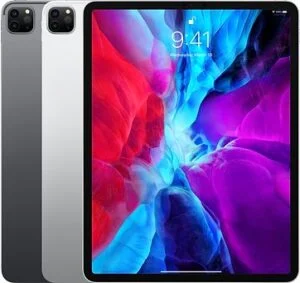
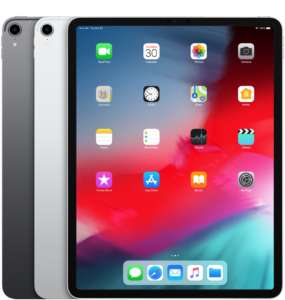
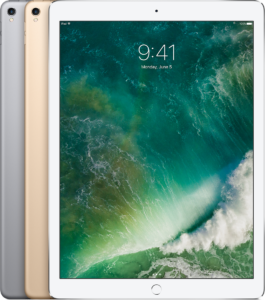
Get paid for your used, old, damaged, or broken iPad Pro, without the marketplace drama.
If you’re ready to sell iPad Pro for cash, iGadgets Buy (igadgetsbuy.com) makes it simple: request a quote, follow our safe prep steps, send it in, and get paid.
Why sellers choose iGadgets Buy:
Trust cues: Secure process • Clear condition guidelines • U.S. service coverage
Get a Fast Quote for Your iPad Pro
When someone searches “sell iPad Pro for cash,” they typically want three things:
(1) a strong offer, (2) a safe process, and (3) zero headaches.
That’s exactly how we’ve designed this page: transaction-first, with the extra details that prevent surprise price changes, delays, or security issues.
Based on current resale trends, your iPad Pro’s value is driven less by “age” and more by:
Apple also recommends specific steps before selling or trading in a device, like backing up, signing out, and erasing data, which we outline below so you can move quickly and safely.
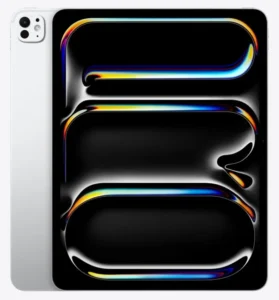
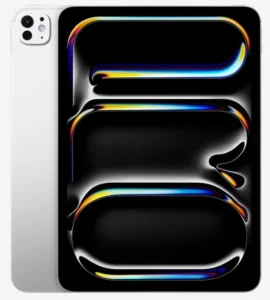
If you want to sell an iPad Pro, you’re in the right place. We consider any model, including:
Not sure which one you have? Apple’s model-number lookup makes it easy (we’ll also help you identify it).
You shouldn’t have to “repair it first” just to get an offer.
We commonly see devices with:
If you’re trying to sell Apple iPad Pro devices that are faulty, be upfront in the condition selections, accurate details protect your offer.
If Find My is enabled, Activation Lock may still be tied to your Apple Account. Most buyback programs can’t complete a purchase if the iPad can’t be activated for a new owner.
Apple notes you should turn off Find My before you sell, give away, or trade in, and that turning it off removes Activation Lock.
To set expectations (and prevent “surprises”), here’s what typically impacts value:
Pro Tip: If you can, include your charger and keep the device clean (no stickers/adhesive). Accessories don’t always increase value dramatically, but they can reduce friction and help the inspection match your selected condition.
Apple’s guidance is clear: back up, sign out, erase the device, and confirm it’s removed from your account before handing it off.
If you’re not sure what model you have: check Settings → General → About, or use Apple’s model identification guide.
If you’re comparing “sell iPad Pro near me” vs online buyback, here’s the tradeoff:
The FTC warns about common marketplace scams like fake payments, bogus refunds, and fake verification codes, and recommends caution with payments and unknown buyers.
Comparison resources also often point out that online buyback options can be more convenient than in-person resale, especially when you want cash without meetups.
Offers are typically based on the exact details you select (model + condition). If inspection finds the device differs from what was selected, [insert your policy: revised offer / return option / dispute process]. (Add your policy here to build maximum trust.)
Payout timing depends on shipping time + inspection time + your selected payout method. [Insert your typical turnaround window]. (Avoid vague promises—publish your real SLA.)
The safest approach is the one Apple recommends: sign out, erase the device, and turn off Find My before shipping.
If you need help, our support can walk you through it.
We consider many damaged conditions (cracked screens, battery issues, charging problems, won’t power on). Just choose the closest match in the condition options so your offer reflects reality.
Not required in most cases, but if you have them, include them if the quote flow gives you a place to note accessories (Apple Pencil, Magic Keyboard, charger/cable).
You can sell through local marketplaces, trade-in programs, or online buyback services. Many sellers prefer buyback when they want a structured process and to avoid payment scams and meetups.
Can I sell a broken iPad Pro?
Yes, many buyback programs accept damaged devices (cracked screens, battery issues, faulty buttons). The key is accurately selecting condition so the inspection matches your quote.
It depends on model, storage, Wi-Fi vs Cellular, condition, and whether Activation Lock is removed. If you don’t know the exact model, use Apple’s model identification guide.
It can be, especially if you follow Apple’s device-prep steps (sign out, erase, turn off Find My) and avoid risky marketplace payments. The FTC highlights common scams to watch for when selling online.
Back up your data, sign out of your Apple Account, erase all content and settings, and turn off Find My (Activation Lock). Apple’s checklist covers these steps.
Turn off Find My to remove Activation Lock before selling. Apple explains how to turn off Find My and why it matters.
Whether you’re upgrading, clearing out a drawer, or trying to get value back from a cracked-screen device, iGadgets Buy helps you sell iPad Pro for cash with a simple, guided process across the United States.
Final note: Before you ship, follow Apple’s recommended steps to back up and erase your iPad so it’s ready for a new owner.
When you’re ready, start your quote and sell iPad Pro for cash today.
Apple, iPad, and iPad Pro are trademarks of Apple Inc. iGadgets Buy is not affiliated with Apple.