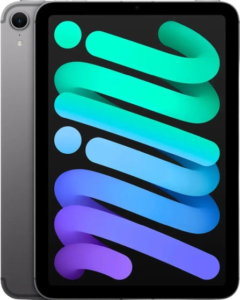
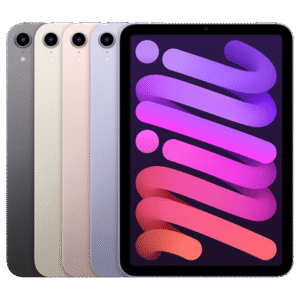
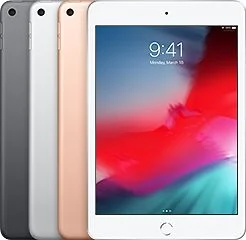
Looking to sell iPad mini for cash in the United States, without risky meetups, endless DMs, or price haggling? iGadgets Buy (igadgetsbuy.com) gives you a fast, straightforward way to turn your iPad mini into money, whether it’s used, older, lightly worn, or not in perfect shape.
Why sellers choose iGadgets Buy
Trust cues: Clear condition questions • Secure device-prep guidance • U.S. coverage
Get a Fast Quote for Your iPad Mini
Yes, you can sell any iPad mini model, including older generations.
Some competitors list iPad mini models by generation (for example: 6th gen, 5th gen, and newer variants), which highlights how important it is to identify your exact model.
Not sure what you have?
Apple shows how to identify your iPad model using the model number (fast and accurate).
Common iPad mini details that affect your quote
Pro Tip (Quote Accuracy): Don’t guess the model. Grab the model number first. Correct model = correct offer = fewer inspection surprises. Apple’s “Identify your iPad model” guide makes this easy.
A fair offer isn’t random, it’s usually tied to a few consistent factors:
Apple states Activation Lock is enabled when Find My is on.
Apple also states turning off Find My removes Activation Lock.
So if you want to sell smoothly, make sure Find My is off before shipping.
In most cases, yes, people sell used iPad mini devices every day, including ones with wear or problems. Just be honest in your condition answers.
Common issues sellers report:
Apple provides a clear checklist for what to do before you sell, give away, or trade in an iPhone or iPad, focused on protecting your personal data.
Apple’s erase steps are straightforward: Settings → General → Transfer or Reset iPad → Erase All Content and Settings.
Apple notes that when erasing an iPad, you may have the option to erase your eSIM or keep it (if your device uses eSIM).
If your iPad mini came from a workplace or school, it might be supervised or managed. Apple explains that configuration profiles and MDM tools can be used by organizations to manage devices and may allow access to data or location information.
Apple also notes you can view installed profiles in:
Settings → General → VPN & Device Management
If you can’t remove management, you may need the original organization to release the device (this is a common reason buybacks get delayed).
Why it Matters: A managed (MDM-locked) iPad may not be eligible for resale until it’s released, so checking this before shipping can save days.
iGadgets Buy advertises free USA shipping and describes using a free, prepaid shipping label in its “How it Works” flow
Quick packing tips (to protect your offer)
Local marketplaces can sometimes pay more, but they also come with scams and no-shows.
The FTC warns that scammers target people selling online and recommends protections like:
If you prefer a structured, trackable process, an online buyback flow can reduce risk and save time.
Offers depend on the model and condition you select. If the received device doesn’t match the condition selected, a revised offer may apply per your policy. [Insert your exact re-quote / accept-decline / return policy here].
Payout time depends on shipping time + inspection time + payout method. iGadgets Buy advertises “multiple payment options” on product quote flows.
[Insert your real payout timeline + methods here]
The best protection is the Apple-recommended process: sign out, turn off Find My, and erase the device before shipping.
You’ll typically need to regain access to remove Find My / Activation Lock. Apple provides guidance on Activation Lock and steps related to removal scenarios.
Yes. Many services buy iPad minis for cash, especially if you can confirm the model and remove account locks (Find My/Activation Lock).
You can sell locally (marketplaces), trade in (often store credit), or use online buyback services. If you sell locally, the FTC recommends watching for payment and verification-code scams.
Use Apple’s model identification guide (model number → exact device).
Apple recommends transferring/backing up your data, signing out of your Apple Account, turning off Find My, and erasing the iPad.
Check Settings → General → VPN & Device Management for profiles. Apple explains organizations may use profiles/MDM to manage devices.
Whether you’re upgrading, decluttering, or just done with an old tablet, iGadgets Buy makes it easy to get a quote, ship with a prepaid label, and move on, without awkward meetups.
Follow Apple’s prep checklist before you ship (sign out, turn off Find My, erase) to keep your sale smooth and your data protected.
When you’re ready, start your quote and sell iPad mini for cash today.
Apple, iPad, and iPad mini are trademarks of Apple Inc. iGadgets Buy is not affiliated with Apple.